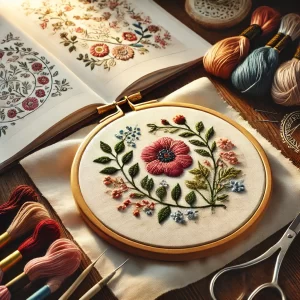

1. What Is Photo to Embroidery Digitizing?
Photo-to-embroidery digitizing means converting a digital image (like a photo or logo) into a stitch file that your embroidery machine can read. The goal is to translate visual elements into satin, fill, and running stitches while preserving contrast and detail reddit.com+2reddit.com+2guest-post.org+2.
2. Why Use Professional Digitizing Services?
- Precision & Clarity: Professionals use manual digitizing to ensure stitch types, densities, and underlay layers are optimized—delivering sharper, cleaner embroidery reddit.com+5journotalk.com+5stitchdigitizer.com+5.
- Save Time: Instead of trial-and-error, get a design that stitches accurately the first time.
- Customization: Tailored thread colors, stitch paths, and formatting options (DST, PES, JEF).
- Cost‑Effective: Investing now saves rework down the line reddit.com+3lindehobby.com+3reddit.com+3reddit.com+4a4everyone.org+4lindehobby.com+4reddit.com.
3. Step-by-Step Digitizing Process
🖼️ Step 1: Choose the Right Photo
- Use high-resolution (300 DPI +) images with good contrast and simple backgrounds reddit.com+15guest-post.org+15journotalk.com+15.
- Prefer clear facial features for portraits or clean lines for logos qualitydesignx.com+7journotalk.com+7webrankedsolutions.com+7.
- Avoid complex shading, shadows, or busy backgrounds that interfere with stitching a4everyone.org+11webrankedsolutions.com+11journotalk.com+11.
🛠️ Step 2: Prepare Your Image
- Crop unnecessary areas and resize to hoop size lindehobby.com+13a4everyone.org+13reddit.com+13.
- Increase contrast and brightness; convert to black-and-white for monochrome designs reddit.com+15journotalk.com+15a4everyone.org+15.
- Remove background using Photoshop, GIMP, or remove.bg sewingmachinefun.com+2emdigitizer.com+2journotalk.com+2.
- Simplify colors or reduce palette to 6–12 colors a4everyone.org+1journotalk.com+1.
🎨 Step 3: Import to Digitizing Software
- Free: Ink/Stitch (Inkscape extension) digitizingbuddy.com+12reddit.com+12reddit.com+12.
- Paid: Hatch, Wilcom, Embird, SewArt, Brother PE‑Design reddit.com+15a4everyone.org+15guest-post.org+15.
- Auto-digitize for simple designs; manual digitizing gives better control lindehobby.com+15stitchdigitizer.com+15journotalk.com+15.
🧵 Step 4: Assign Stitch Types
- Fill stitches for large colored areas.
- Satin stitches for outlines and text.
- Running stitches for fine details reddit.com+9journotalk.com+9emdigitizer.com+9.
- Choose underlay for fabric stability; adjust stitch density (approx 0.35mm) to avoid puckering reddit.com+6stitchdigitizer.com+6journotalk.com+6.
🔄 Step 5: Optimize Stitching Path
- Plan stitch order to minimize jumps and trims (outline first, fills next) reddit.com+1lindehobby.com+1.
- Directionality matters for texture and appearance .
🪡 Step 6: Preview & Test Stitch
- Use virtual preview and then machine sample stitch-out on similar fabric kinkedpress.com.
- Look for puckering, misaligned color, or thread breaks and adjust underlay or density accordingly lindehobby.com+1webrankedsolutions.com+1.
💾 Step 7: Export the File
- Save in your embroidery machine’s format: PES (Brother), DST (industrial), JEF (Janome), X values reddit.com+8a4everyone.org+8journotalk.com+8.
- Name and organize files for easy reuse.
🧩 Step 8: Stitch on Final Fabric
- Hoop carefully with stabilizer and load correct thread colors.
- Transfer file via USB/WiFi, then stitch.
- Perform a final quality check; tidy loose threads.
4. Pro Tips for Best Results
- Start with simple designs; gradually progress to detail-rich images lindehobby.com+3a4everyone.org+3stitchdigitizer.com+3lindehobby.com.
- Reduce palette—fewer colors = fewer thread changes = cleaner outcome journotalk.com.
- Consider satin for small text or outlines; running stitch for delicate lines .
- Underlay stitching prevents fabric puckering and improves stability journotalk.com.
- Always test on scrap fabric to fine-tune parameters lindehobby.com+7journotalk.com+7stitchdigitizer.com+7.
From Reddit users:
“I wouldn’t suggest using auto punch/auto digitize for anything… use all three of the main tools, satin stitch, fill … and running stitch” reddit.com+2reddit.com+2reddit.com+2reddit.com+1reddit.com+1
5. FAQ
| Question | Answer |
|---|---|
| What file formats are supported? | PES, DST, JEF, EXP, PEC—choose based on your machine model reddit.com+3a4everyone.org+3reddit.com+3reddit.com+9emdigitizer.com+9a4everyone.org+9 |
| How long does digitizing take? | Simple designs: under an hour; complex photos may take several hours |
| Can I do it myself? | Yes! Tools like Ink/Stitch are free, but manual digitizing has a learning curve |
| What photo works best? | High resolution (300 DPI+), high contrast, simple backgrounds, limited colors |
6. Professional Services We Offer
Our Photo-to-Embroidery Digitizing service includes:
- Expert manual digitizing in DST/PES/JEF formats
- Smart stitch path and density optimization
- Underlay and pull compensation settings
- 1–2 test stitch-outs with adjustments
- Quick turnaround (typically 24–48 hours)
Perfect for custom gifts, apparel, patches, and logo embroidery.
7. Call-to-Action
Ready to transform your photo or logo into embroidery?
Upload your image now and receive a free sample digitizing design within 24 hours.
👇 [Upload here] and stitch perfection is just a click away.
8. SEO & On‑Page Tips
- Use “photo to embroidery digitizing” in H1, H2s, URL, and meta tags.
- Include long-tail keywords such as “convert image to embroidery stitch”, “digitize logo for embroidery”.
- Alt‑text example:
"photo to embroidery digitizing sample". - Link internally to related posts: “Embroidery File Formats”, “Digitizing Software Comparison”.